Make a Member the Owner
A Business has one Owner. The Owner can give the Business to a Member of the team. The Member becomes the Owner only when they accept.
Offer the Business
- Open Settings and go to Team.
- Click Make Owner next to the Member. If the person is not on the team, invite them first.
- Read the dialog, and click Send offer. Karma Clouds sends an email to the Member.
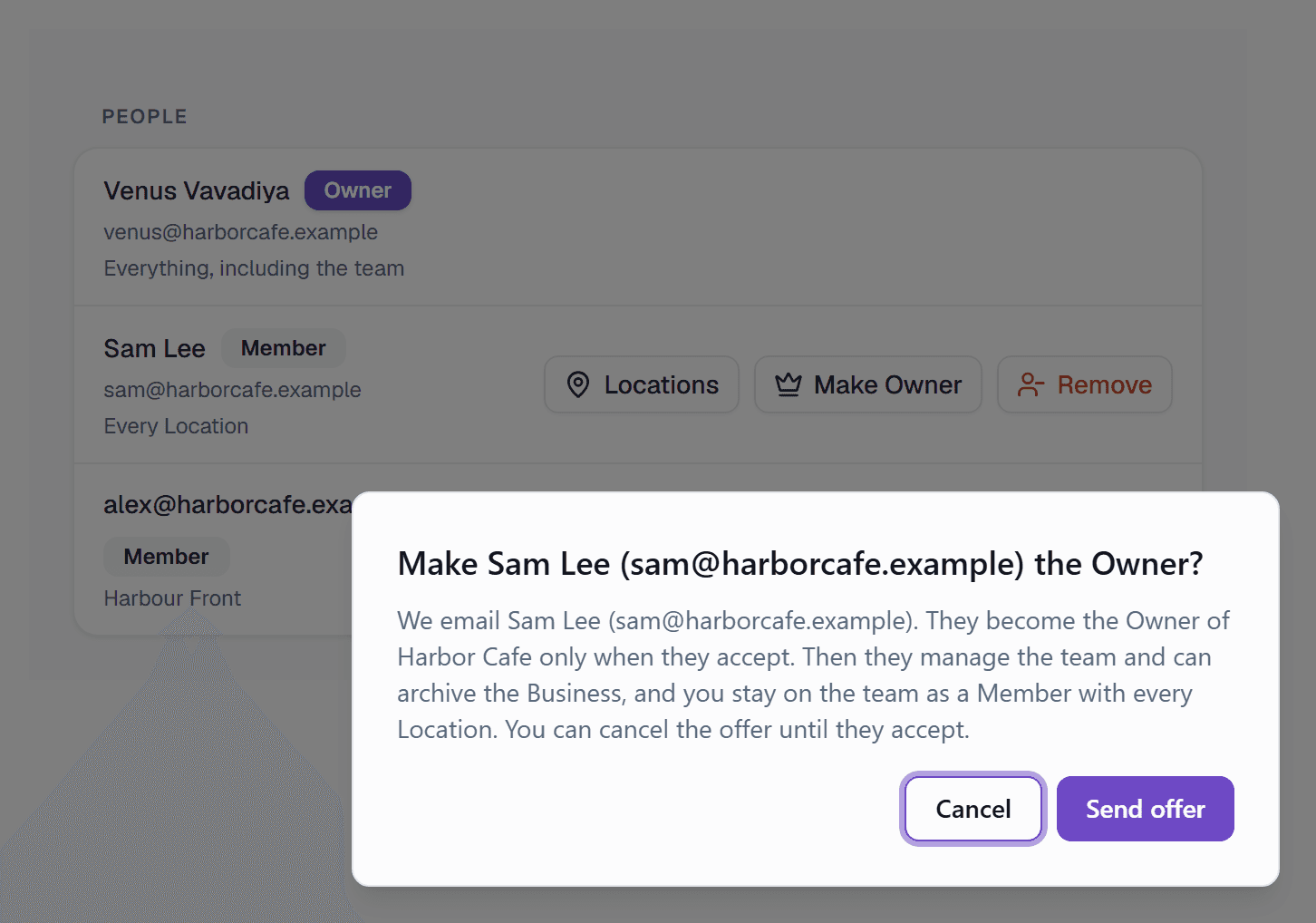
- 1Send the offer. The Member becomes the Owner when they accept.
Wait for the answer
You stay the Owner until the Member accepts. You can make one offer at a time. To stop the offer, click Cancel offer.
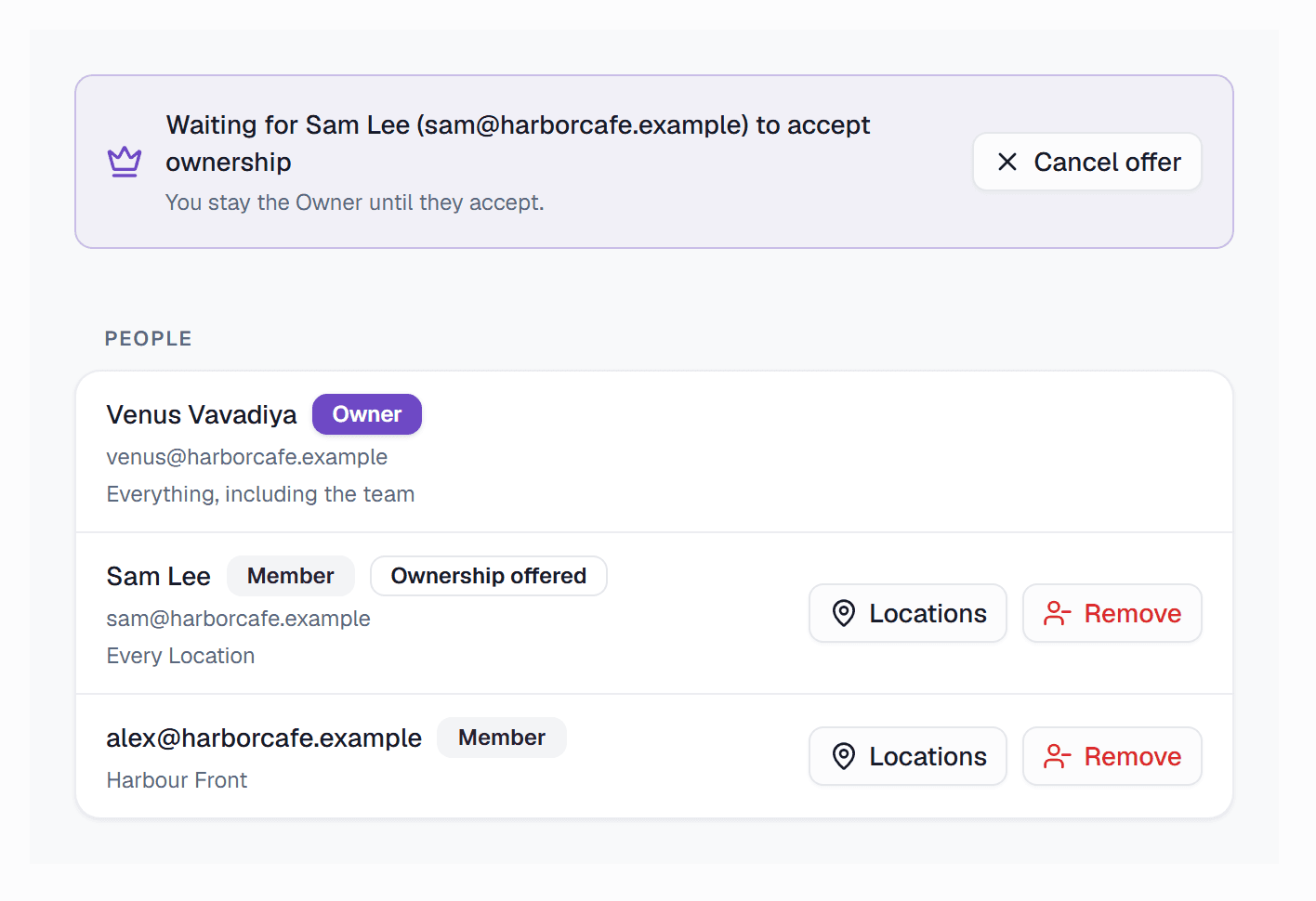
- 1This Member has an open offer.
- 2Stop the offer. You stay the Owner.
Accept or decline
The Member opens Settings > Team in the Business. The Team row in Settings shows when an offer is open.
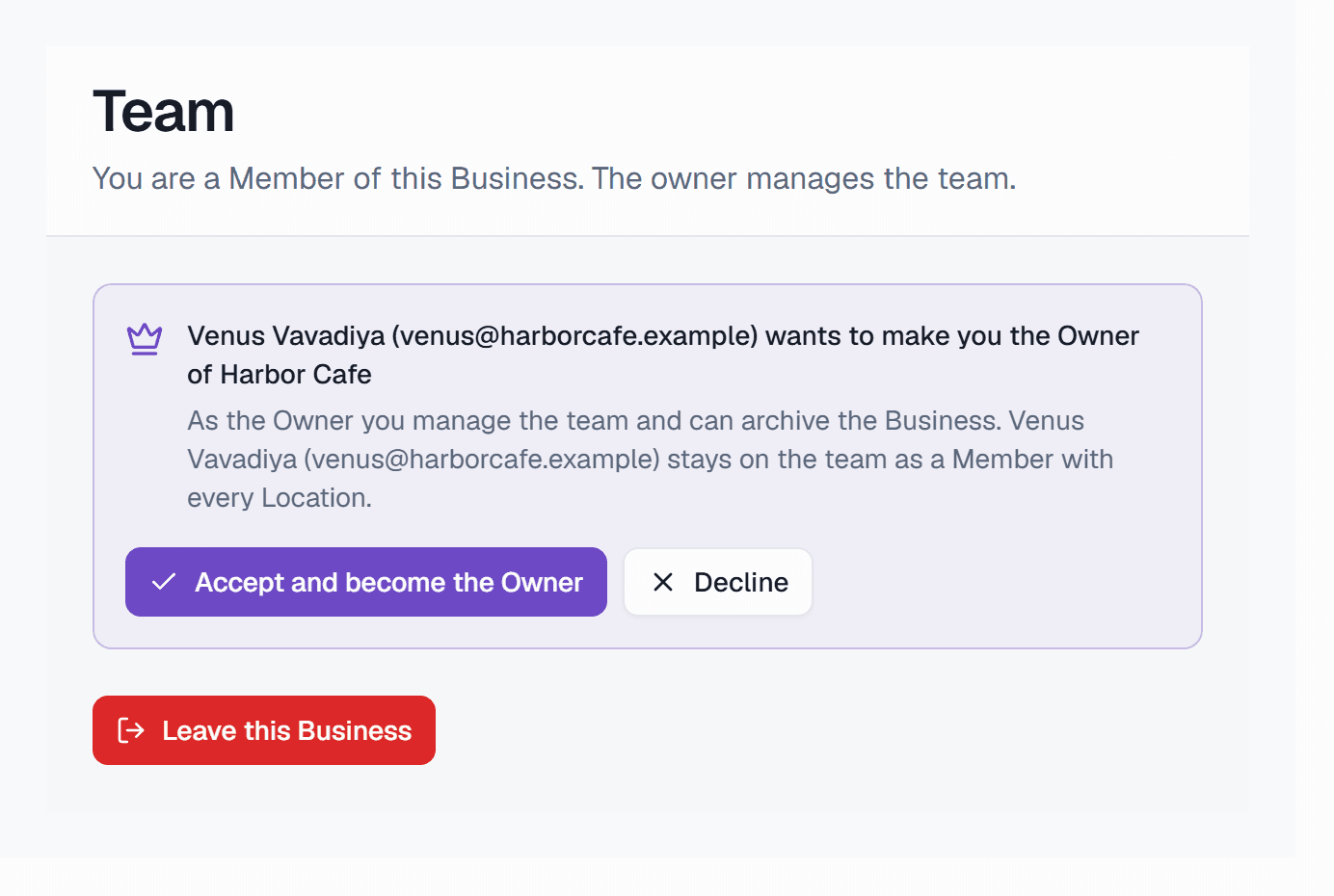
- 1Accept and become the Owner of the Business.
- 2Decline. The Owner stays the Owner.
After the Member accepts
- The Member becomes the Owner and manages the team.
- The old Owner stays on the team as a Member with every Location.
- Karma Clouds sends an email to the old Owner.
Remove a Member with an open offer
When you remove the Member, or the Member leaves, the offer stops.